Mastering Montage: Format & Flow in Your Script

There is no hard and fast rule for how to format montages in screenplays. As with all formatting, the goal is to express what’s happening on screen as clearly and simply as possible, without breaking up the flow of the screenplay or taking your reader out of the script.
The following are a few montage formatting options. Any of them are okay, but a screenplay should pick a style and stick to it.
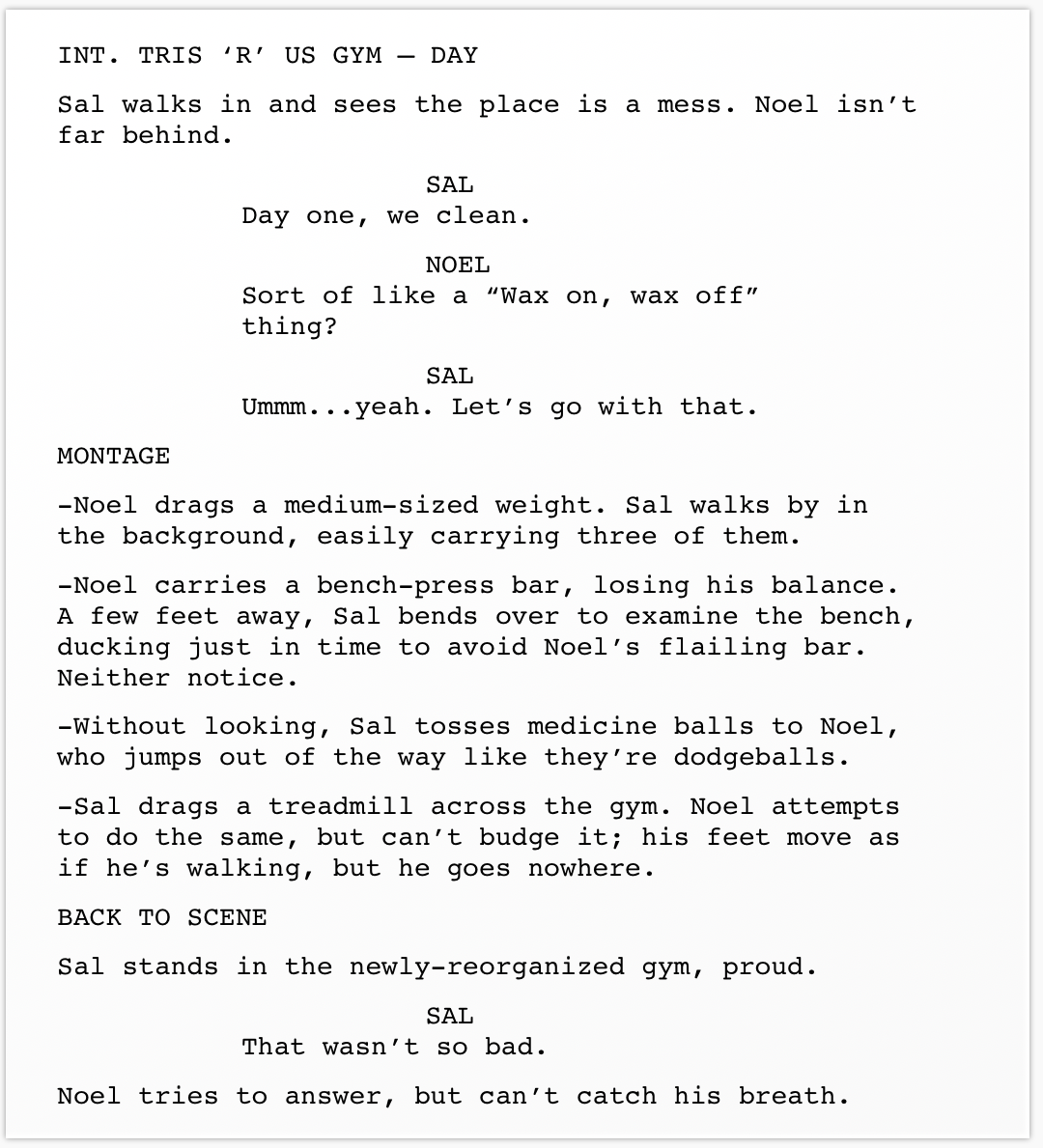
Montage in a single location
If the montage arises from a scene already in progress, slug MONTAGE, then list the elements of the montage — either as separate action lines, or as a bulleted list. When the montage is complete, slug either BACK TO SCENE, or END OF MONTAGE:
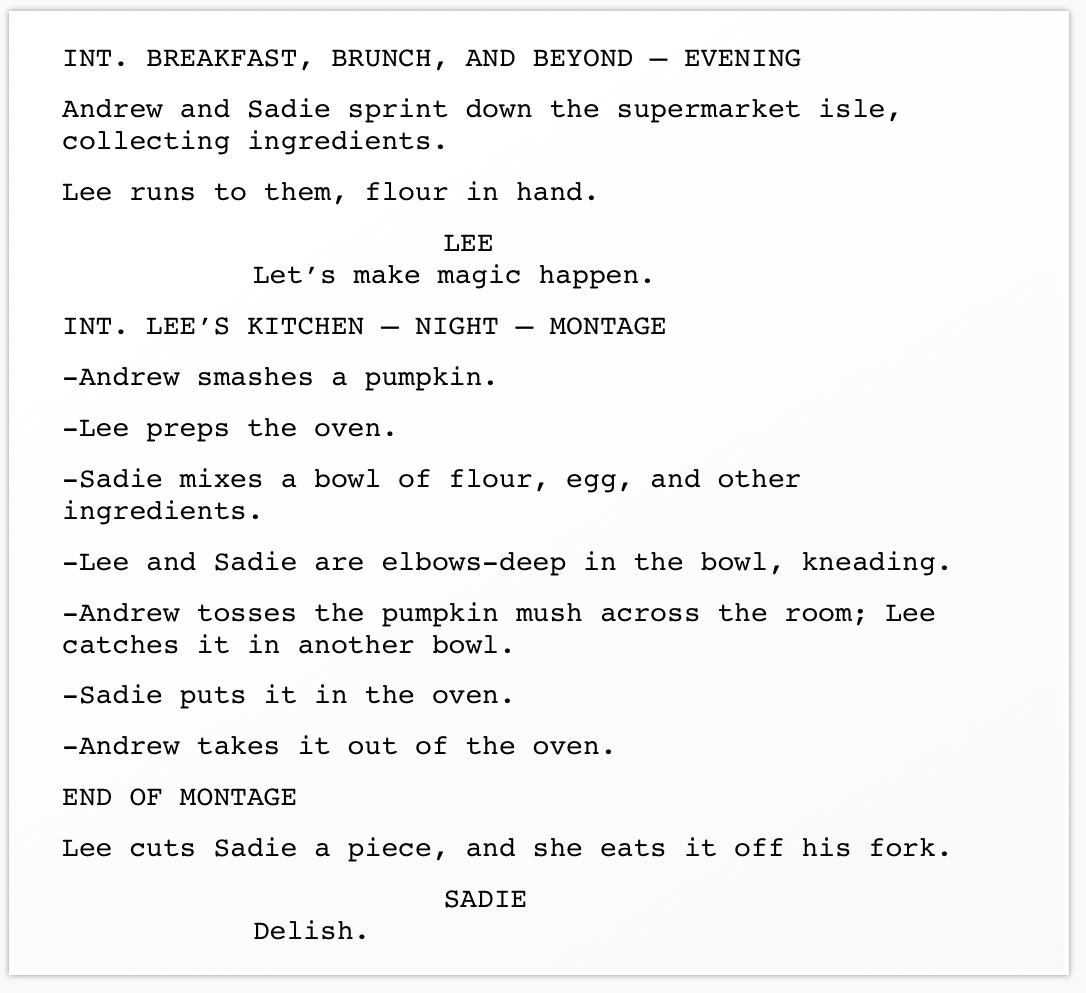
Montage in a new location
If the montage takes place in a different location than the previous scene, add MONTAGE to the scene header for the new scene. When the montage is finished, indicate END OF MONTAGE:
Montage in multiple locations
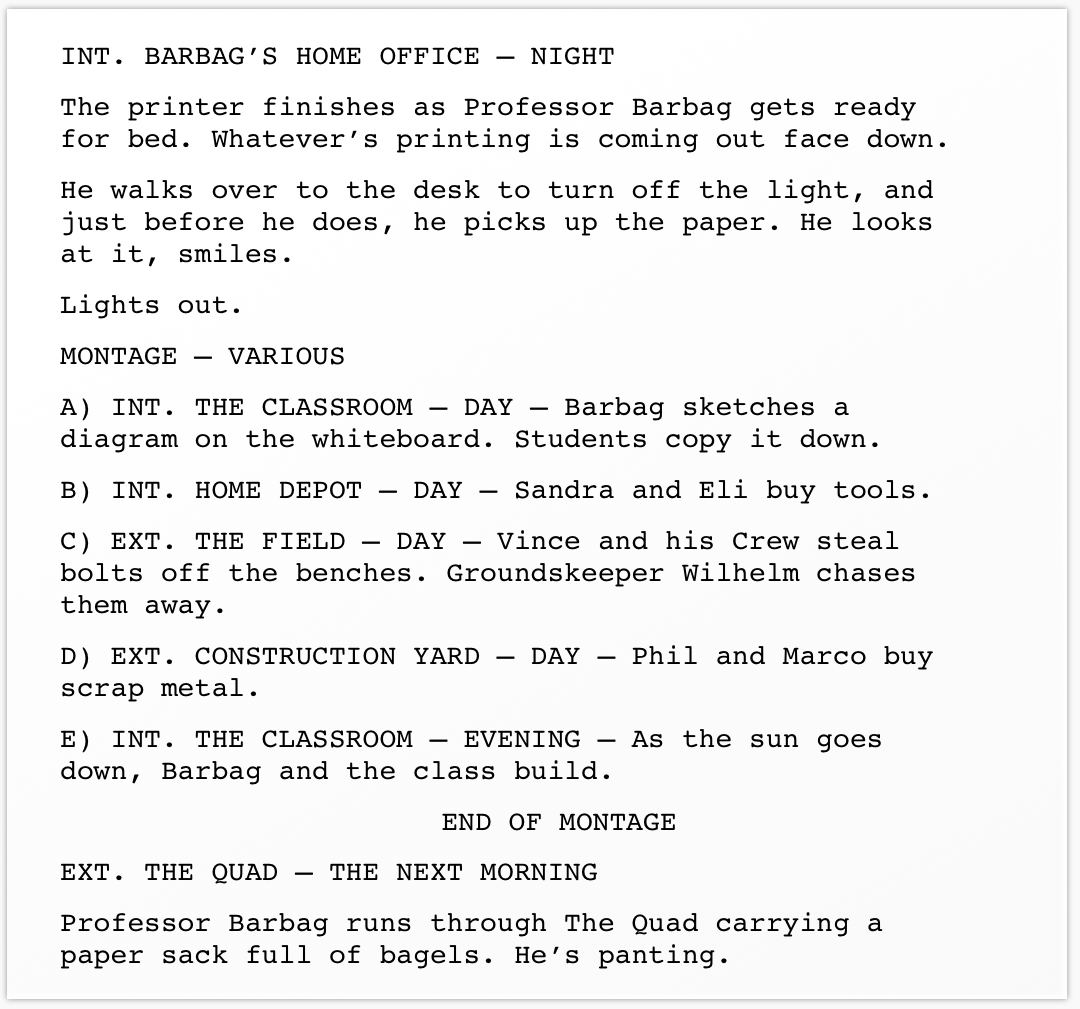
If the montage takes place in multiple locations, you can handle it a few ways. One simple way is to slug “MONTAGE – VARIOUS,” and then bullet or letter your list of montage elements, starting each with a slug line:
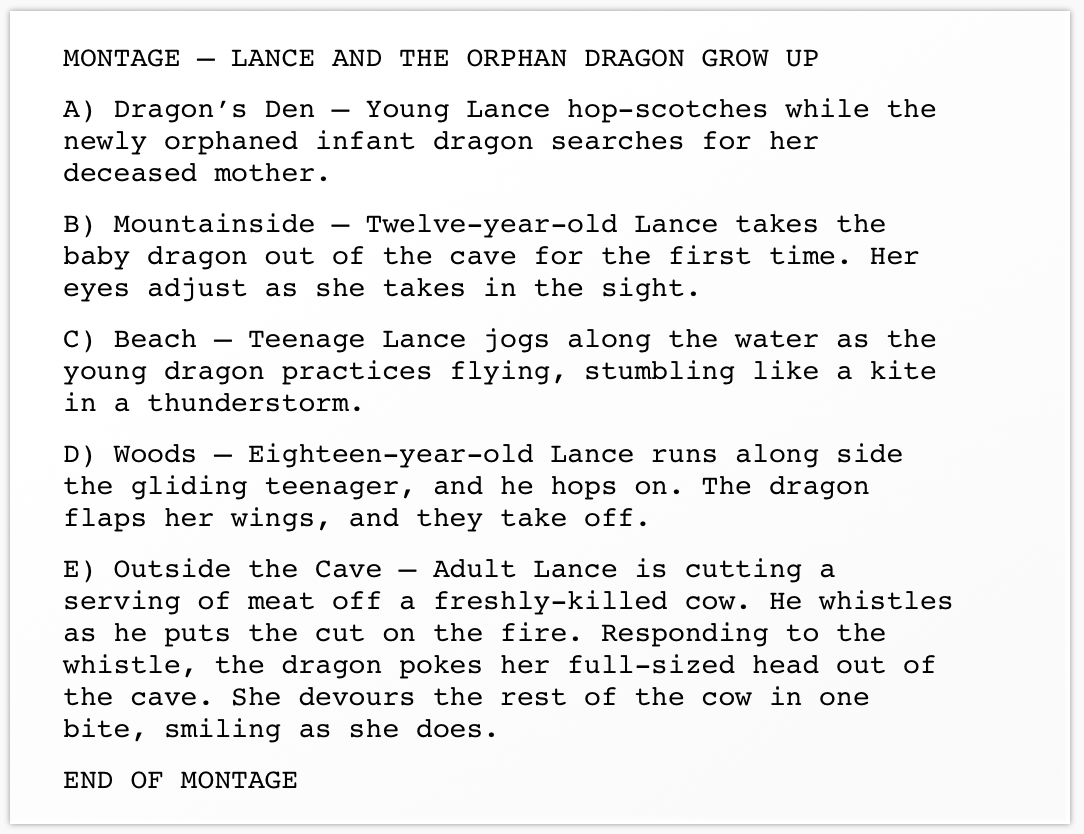
Some screenwriters are less specific about locations in montages, and don’t approximate scene headers:
A third method for handling multiple locations is to slug each one as its own short scene. It’s often the best choice, particularly if more than one thing happens in each scenelet.
With this method, you may choose to not even indicate MONTAGE, as the short scene descriptions may make it obvious.