Step-by-Step Guide to Highland Fling
Fling is a seamless sharing feature built directly into Highland that enables you to send a short-lived web version of your document to friends, colleagues, or teammates.

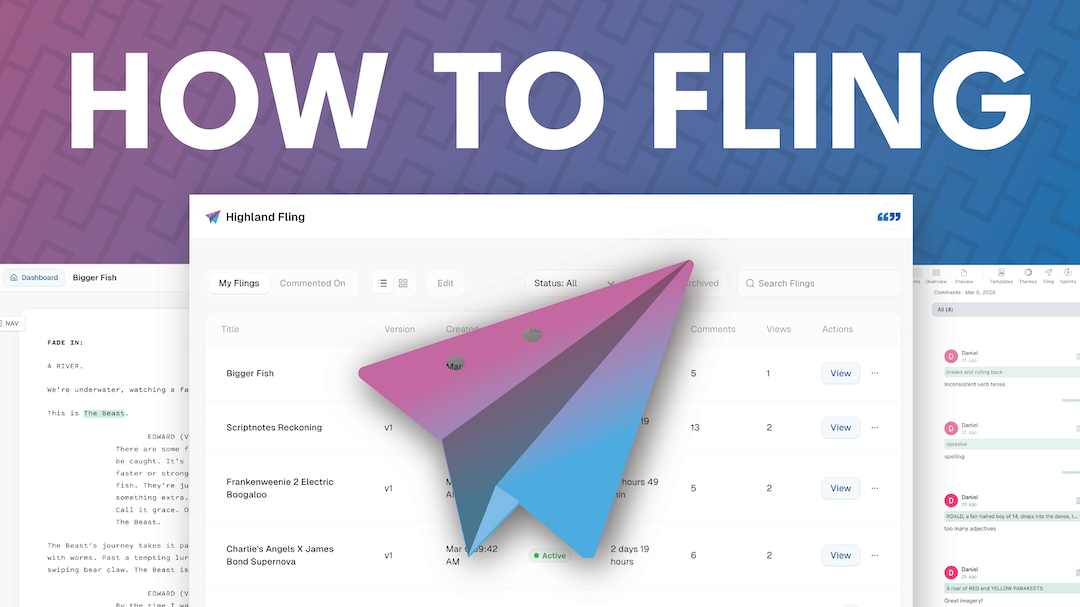
Highland Fling is now available in Beta for all Highland Pro users!
What is a Fling?
Fling is a seamless sharing feature built directly into Highland that enables you to send a short-lived web version of your document to friends, colleagues, or teammates.
It collects notes from multiple readers simultaneously while controlling which drafts are accessible to those readers.
Fling is both a noun and a verb. “I’ll Fling it to you.”
(Around the office, we use “flung” as the past tense, rather than “flinged.”)
Creating a Fling
In Highland Pro, click the Fling Icon in the toolbar. If it’s your first time using Fling, you’ll need to create a login. We recommend signing in with Google, but any email will do. Once you’re signed in, you’re ready to Fling.
So, set your expiration time, comment visibility, and click Create.
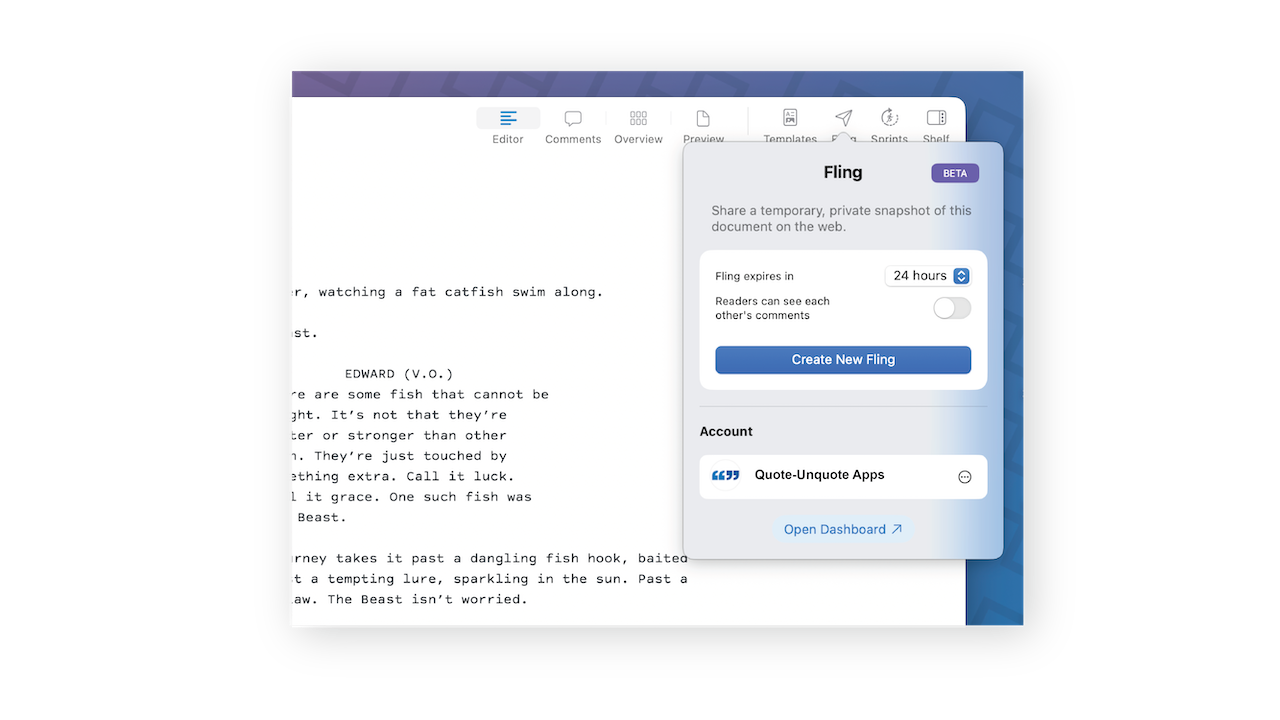
Every Fling expires. You’re not publishing something for the world to read. It’s just to get feedback on a document.
On the web, a Fling looks almost exactly like what you’d see in the Highland Pro editor.
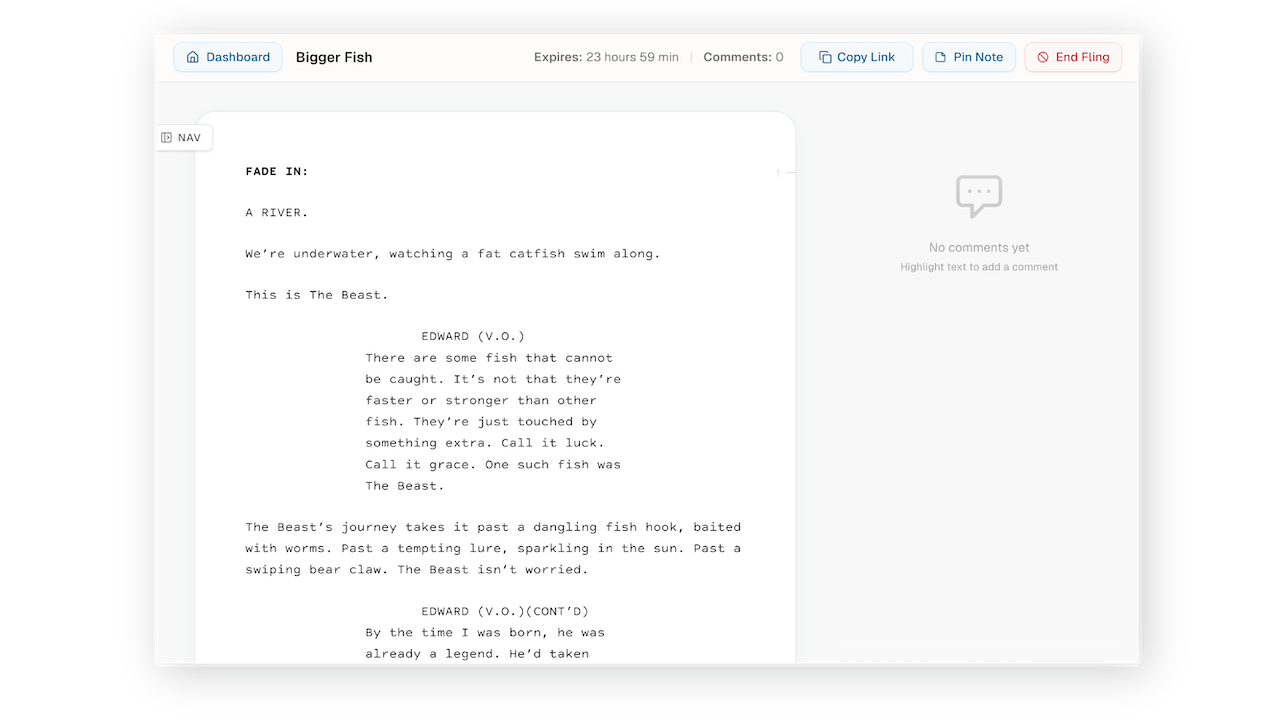
Select text to leave a comment. It’s just that easy.
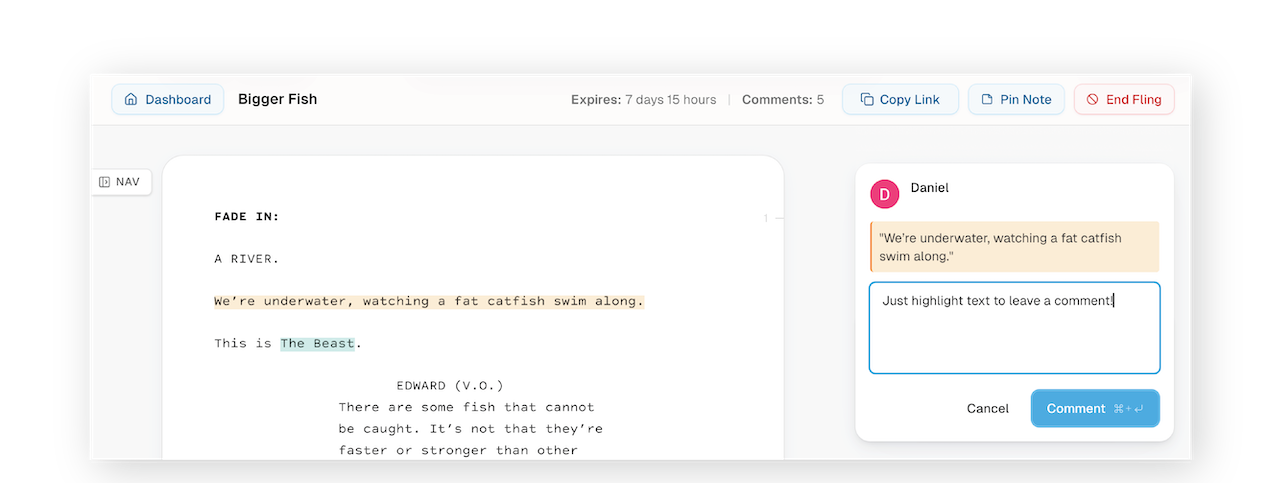
If you’re the creator of a Fling, you’ll see extra buttons at the top:
- Use Copy Link to share your Fling with others.
- Use Pin Note to create a note at the top of the comments area.
- Use End Fling to stop receiving comments on a document.
Sharing a Fling
Just click, “Copy Link” and you’re ready to share your script with your readers. And your readers don’t need a Highland license to use Fling. You can send these links to anyone. There is no paywall.
The Dashboard
The dashboard is where you see an overview of the Flings you've created and the Flings you've commented on.
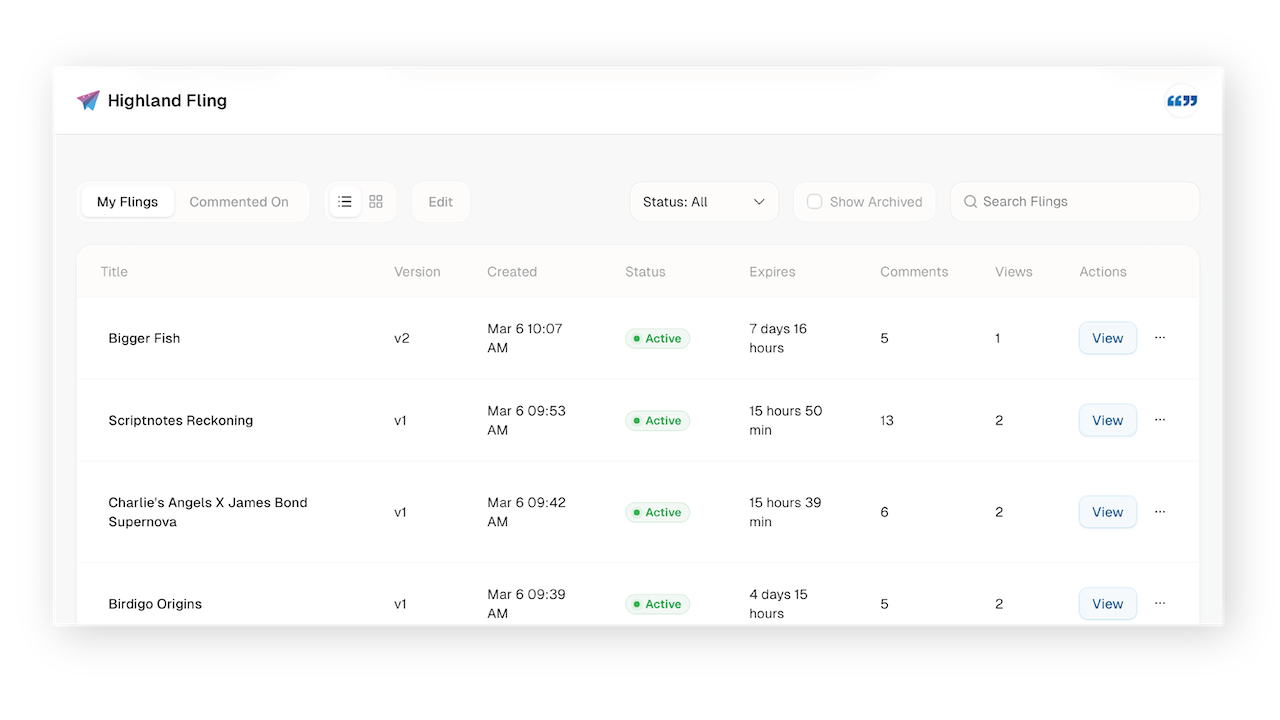
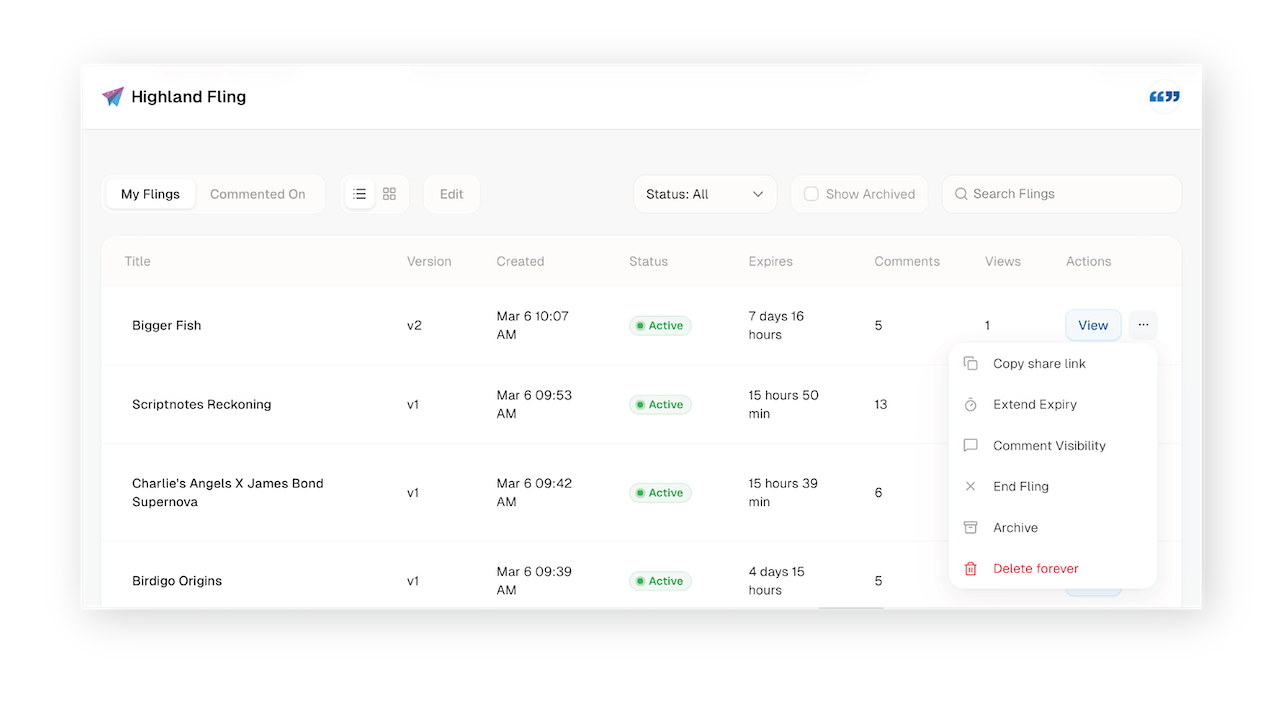
The … Menu at the end of each row lets you modify or delete Fling details.
Bringing Comments back into Highland Pro
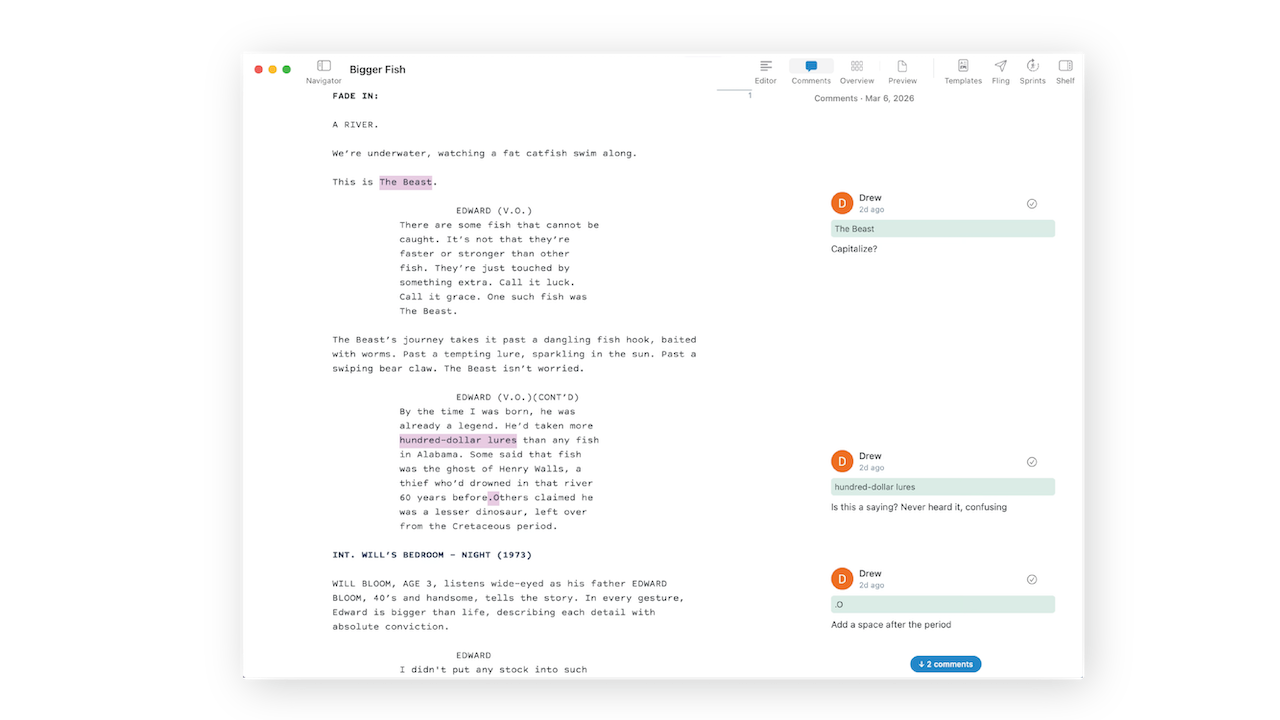
But the best part about Fling is that every note your readers make is automatically pulled back into Highland Pro for you to revise locally in the new Comments View.
Click the Comments Icon in the toolbar.
To learn more, read the announcement post for Highland Fling!
New to Highland Pro? Try it free for 30 days!