
Introducing Bronson Watermarker Pro
Bronson Watermarker Pro is not just a new version. It’s a brand-new app focused exclusively on protecting your documents.


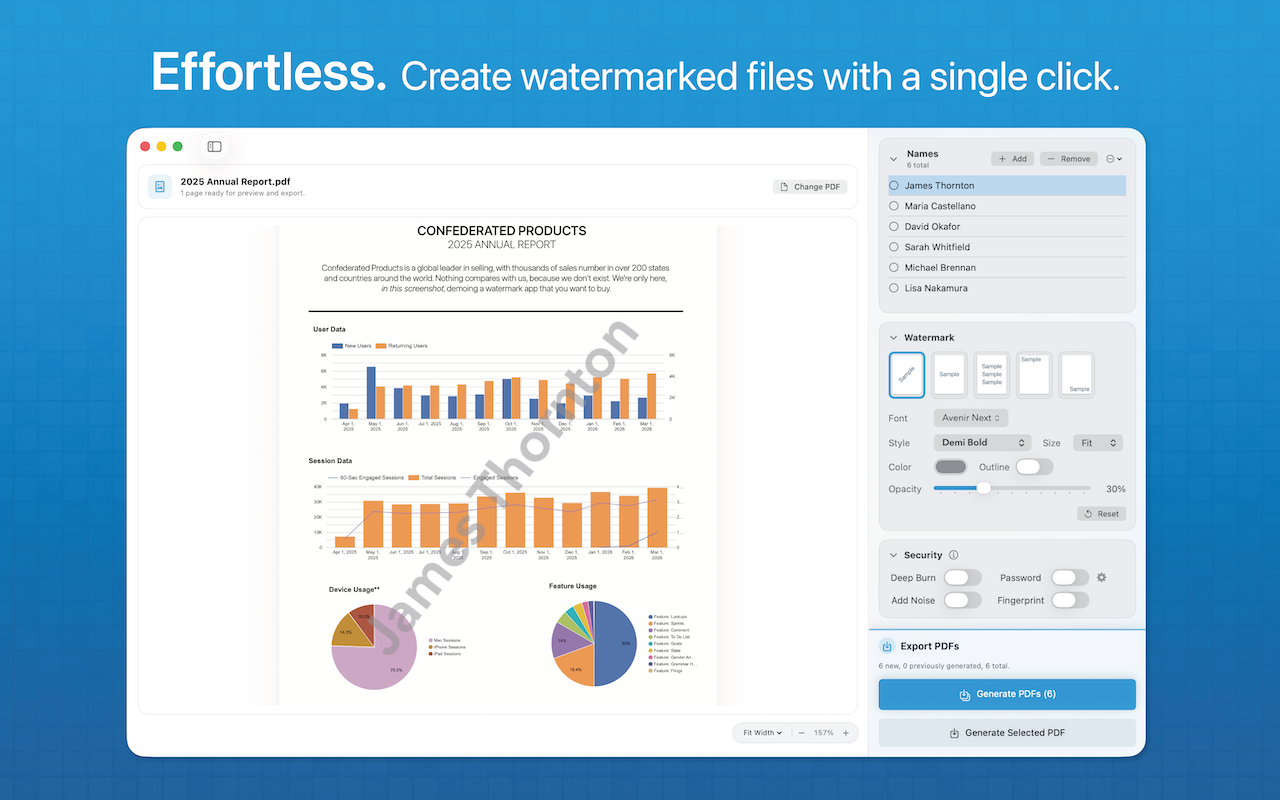
Bronson Watermarker Pro is not just a new version. It’s a brand-new app focused exclusively on protecting your documents. With Bronson, a simple list of names can generate any number of individually-watermarked PDFs or images with a single click.
It’s easy-to-use, fast and foolproof.
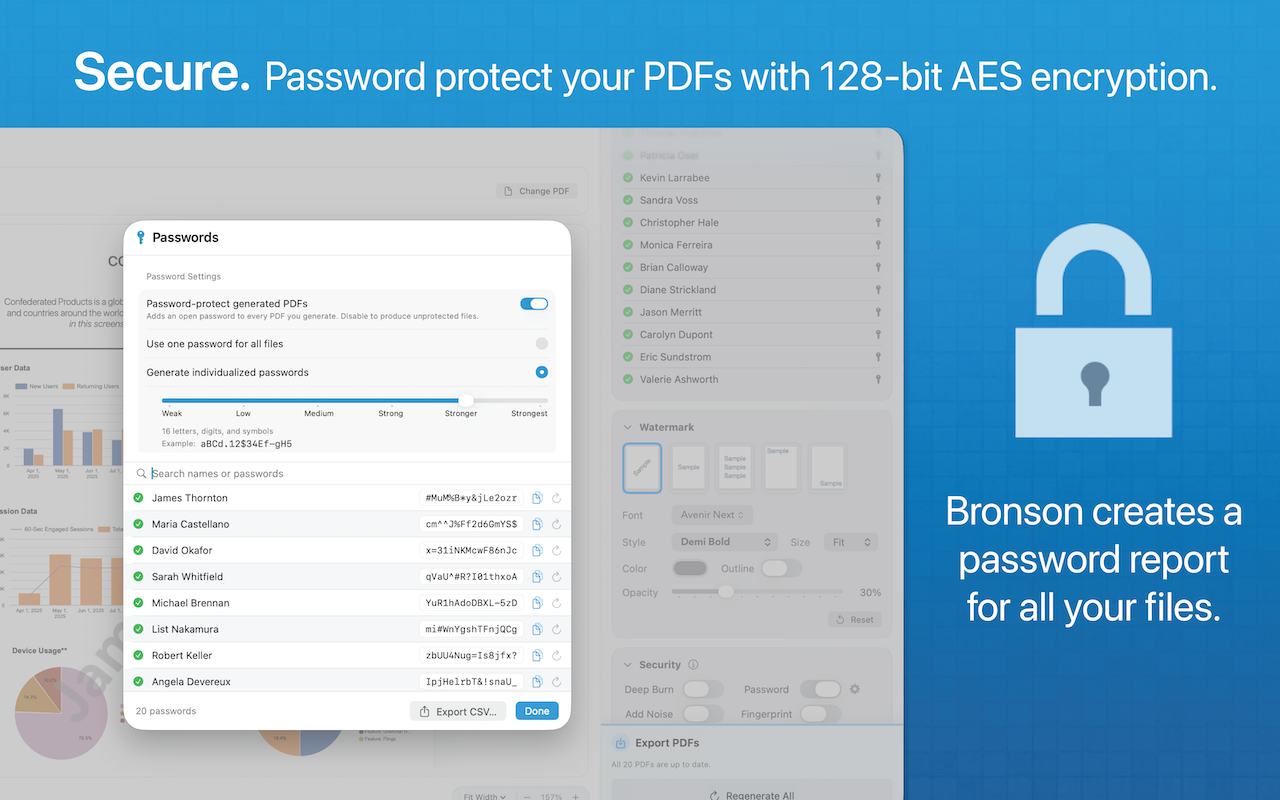
Bronson goes beyond standard watermarking with 128-bit AES encryption. Choose a single custom password for your files, or use Bronson’s password generator to assign random unique passwords for each user you add to your watermarked document.
Watermarking has never been easier, or more secure.
Bronson makes it easy to create personalized watermarked PDFs and Images. Whether you’re sending out one document or 100, each is labelled with the reader’s name.
All you need to get started is a simple list of names. Plus, you can add new users to an existing watermarked document for ongoing, seamless project support.
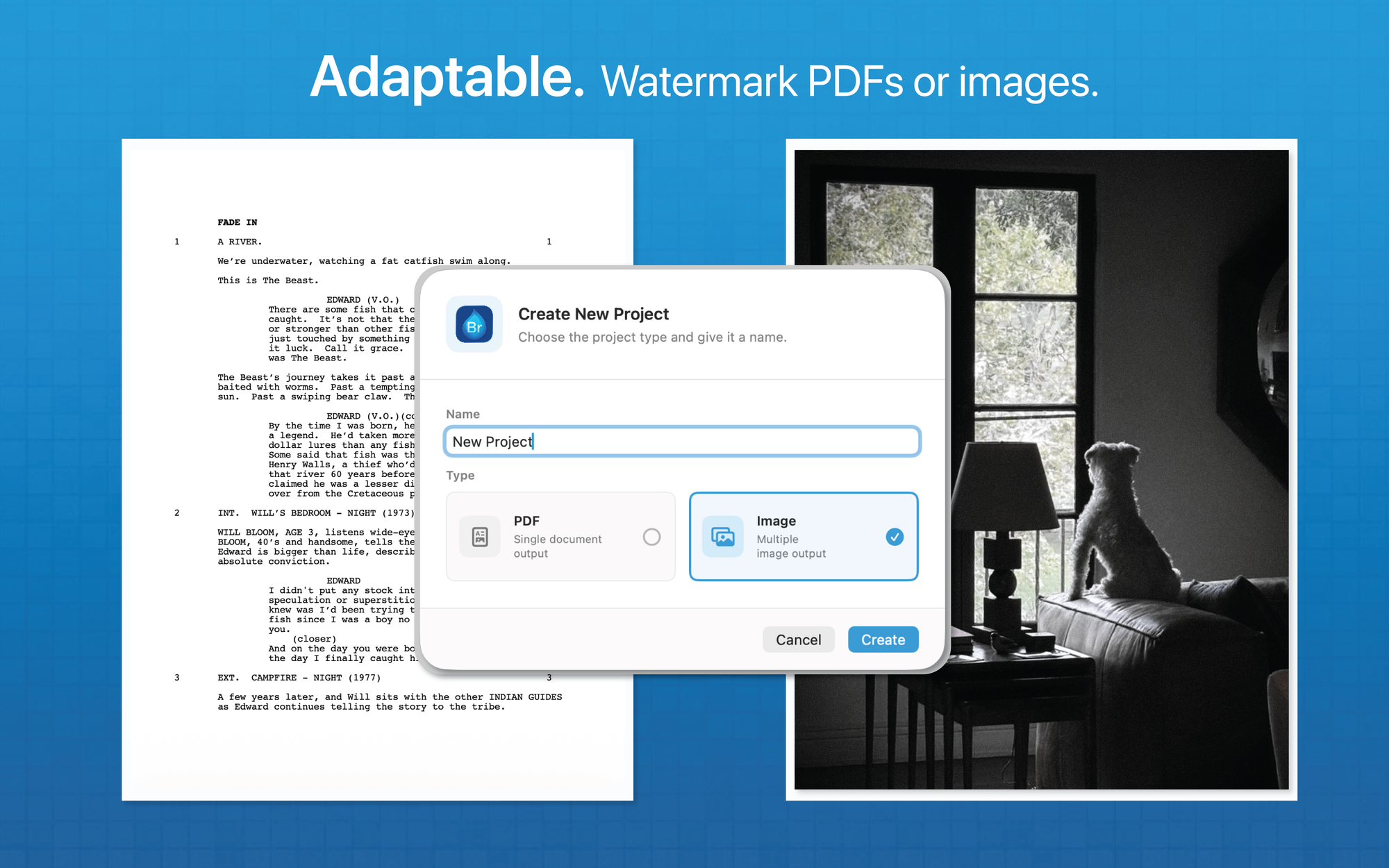
Bronson is perfect for watermarking all your PDFs:
- Proposals
- Screenplays
- Spreadsheets
- Concept Art
- Legal Briefs
- Photography
- Sales Figures
- Graphic Novels
- Slide Decks
- Sheet Music
- And More
What's New in Bronson
Bronson Watermarker Pro is not just a new version. It’s a brand-new app focused exclusively on protecting your documents, and built from the ground up to incorporate our most-requested features:
- Watermark any pdf or image file
- Open and Save lists of your watermarks.
- Password protect your files with 128-bit AES encryption.
- Customize your watermarks by choosing font, color and opacity.
- Choose Solid or Outline for all styles.
- Deep Burn watermarks as image-based PDFs.
- Use Random Noise to make watermarks tougher.
- Fingerprint documents with invisible watermarks.
- Add users to an ongoing project for easy file management.
All of this power comes with a new single-window interface users love.
Why We Rebuilt It
- Simplicity. Bronson has one window. Everything is clearly labeled. Whether you’re using it twice a day or twice a year, you’ll know exactly what to do.
- Speed. Bronson is blisteringly fast. You can generate 100 custom-watermarked PDFs in seconds.
- Security. The visible watermark is only one way Bronson can protect your document. Bronson can generate unique passwords for each file, sealed with 128-bit AES encryption.
- Support. We’re a tiny company, but not a one-man shop. If you encounter an issue, we can fix it quickly.
- Created by people who use it. We built Bronson Pro because we needed it. We keep refining it because we want to use awesome things.